
An operator has a question for the decision scientist about planning for a spike in order volume. The response might sound something like, “What’s the timeline? It might take me a while to dig for the input,” or “I’ll let you know when the team has the capacity to set up the testing for that. I’ll need to make model updates to tinker with the configuration.”
Does this conversation sound familiar? Too often, we hear that business teams and stakeholders don’t feel that they know what the algorithm is doing or why it’s returning certain results, it’s a black box. And that can result in a lack of trust. In response, decision science teams aren’t able to quickly demonstrate the model’s value and test hypotheses in a clear and shareable way to stakeholders.
At Nextmv, we use a DecisionOps approach to solve this. The platform makes the model and outcomes more accessible via a common user interface, a testing framework, and configurable levers for tuning. This leads to transparent decisions and better outcomes for the business.
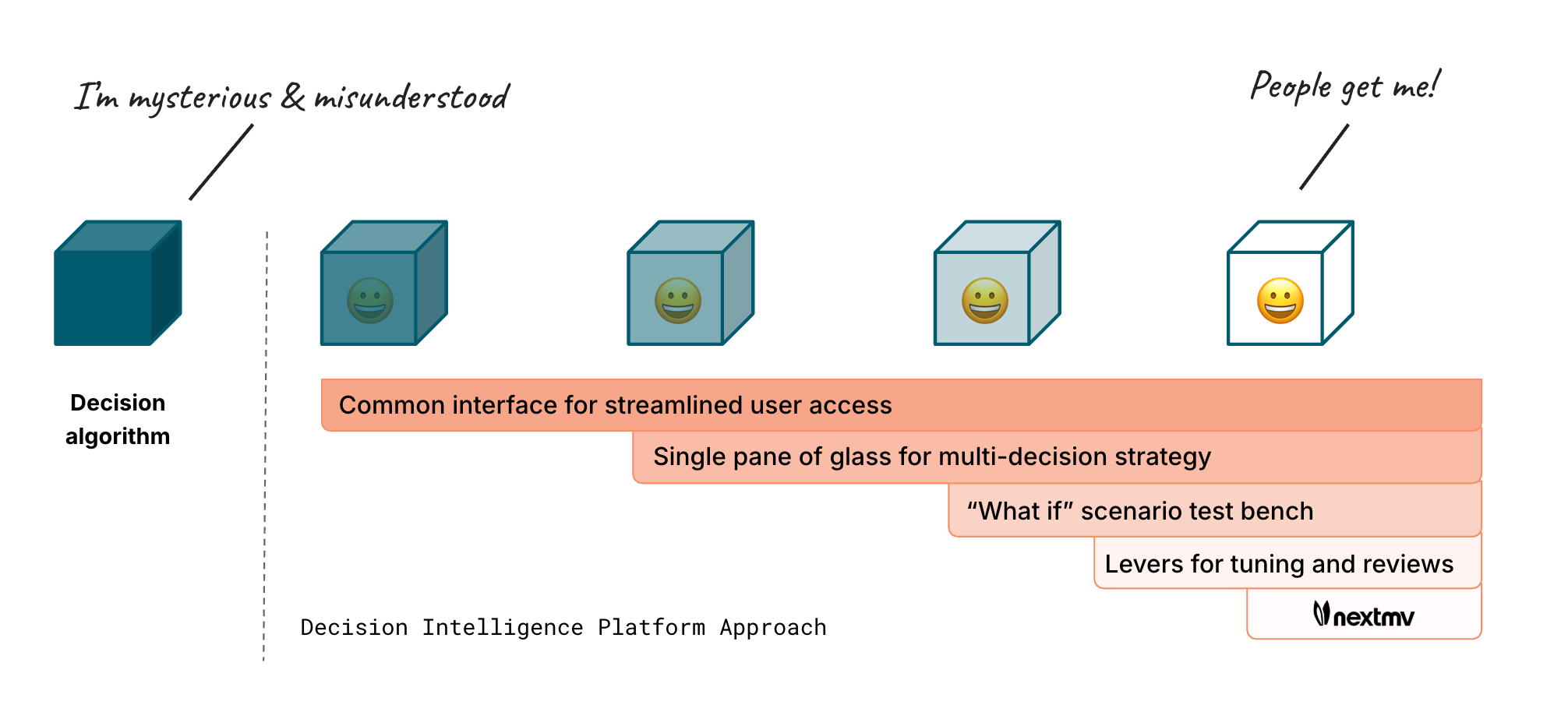
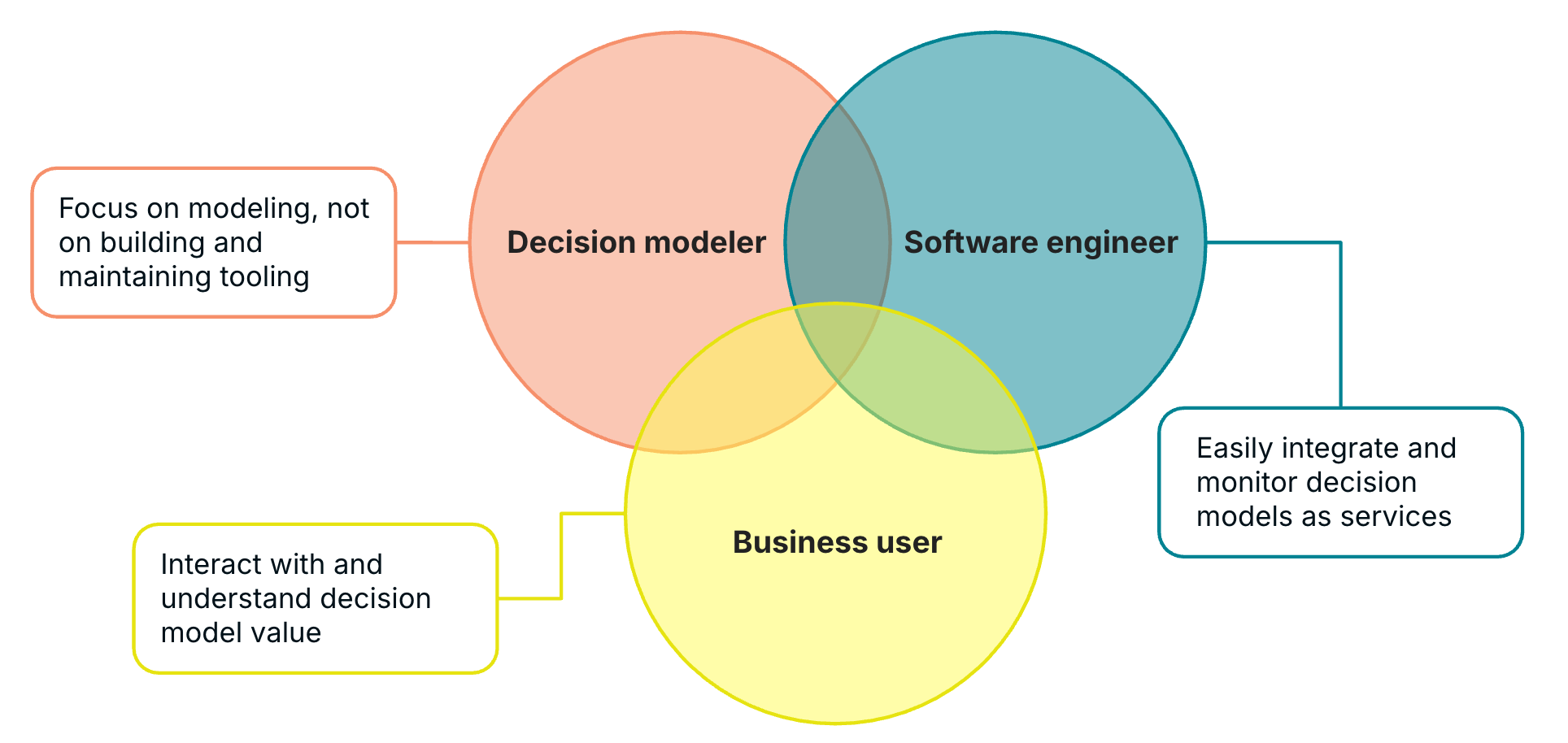
There are multiple teams and roles involved — and they need to focus on specific responsibilities, which the Nextmv platform enables. For instance, modelers can focus on modeling without worrying about building and maintaining the operational tooling, software engineers can easily integrate the models into their existing systems and infrastructure, and business users and operators can interact with a UI to explore “what-if” scenarios, tune input, and easily share results with stakeholders.
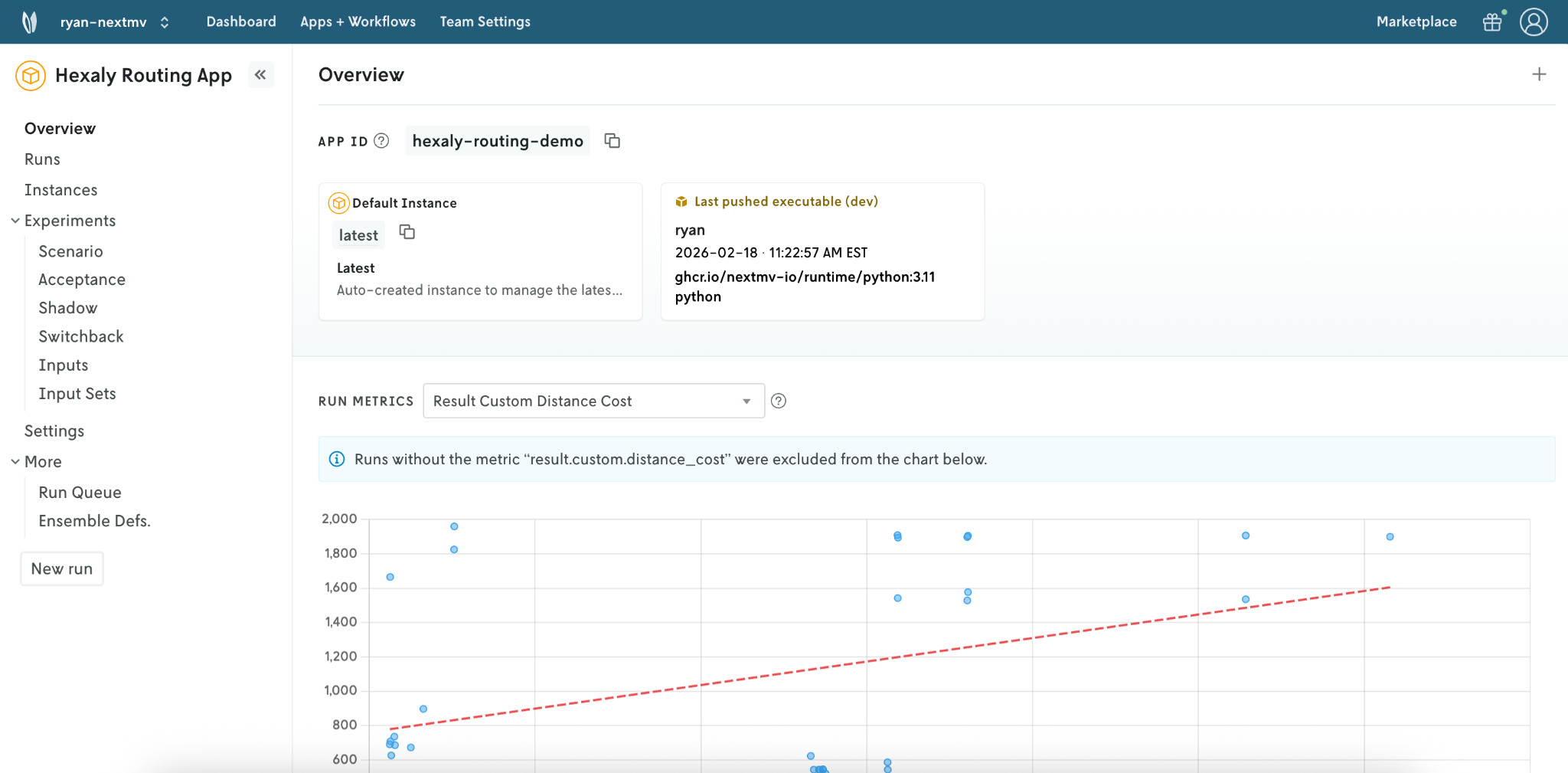
Let’s dive into a real-world scenario where a Hexaly routing model is powering our fleet planning operations in production. Below, we see the model deployed as a routing app in the Nextmv platform. We see the app name, when the latest executable was pushed (and by who), as well as a summary of run metrics.
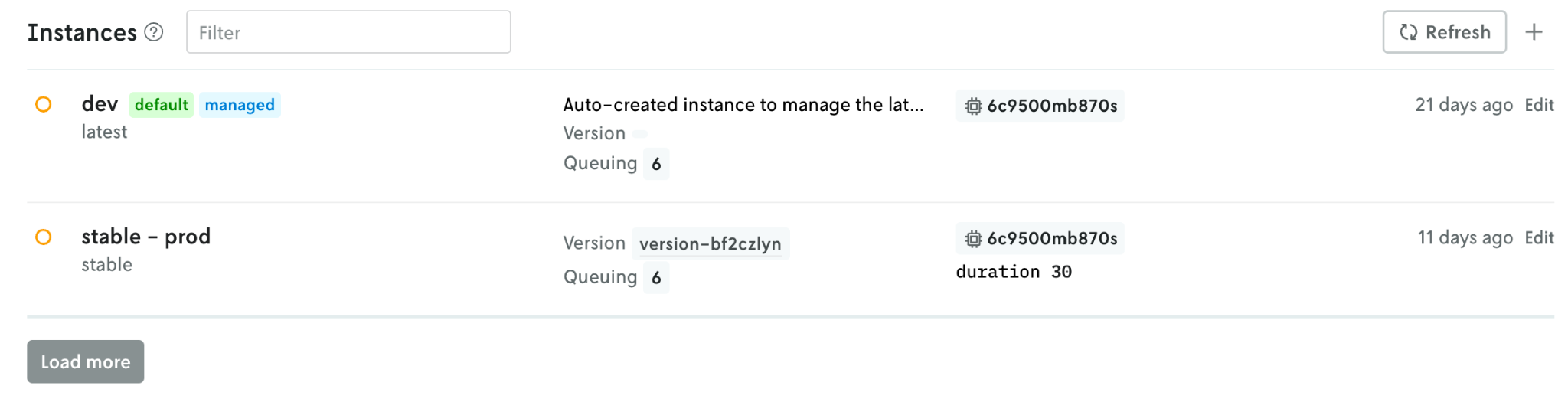
We can also see the version and instances of the model. Each instance can represent versions + configuration tied to prod vs dev, geographic regions, and more.
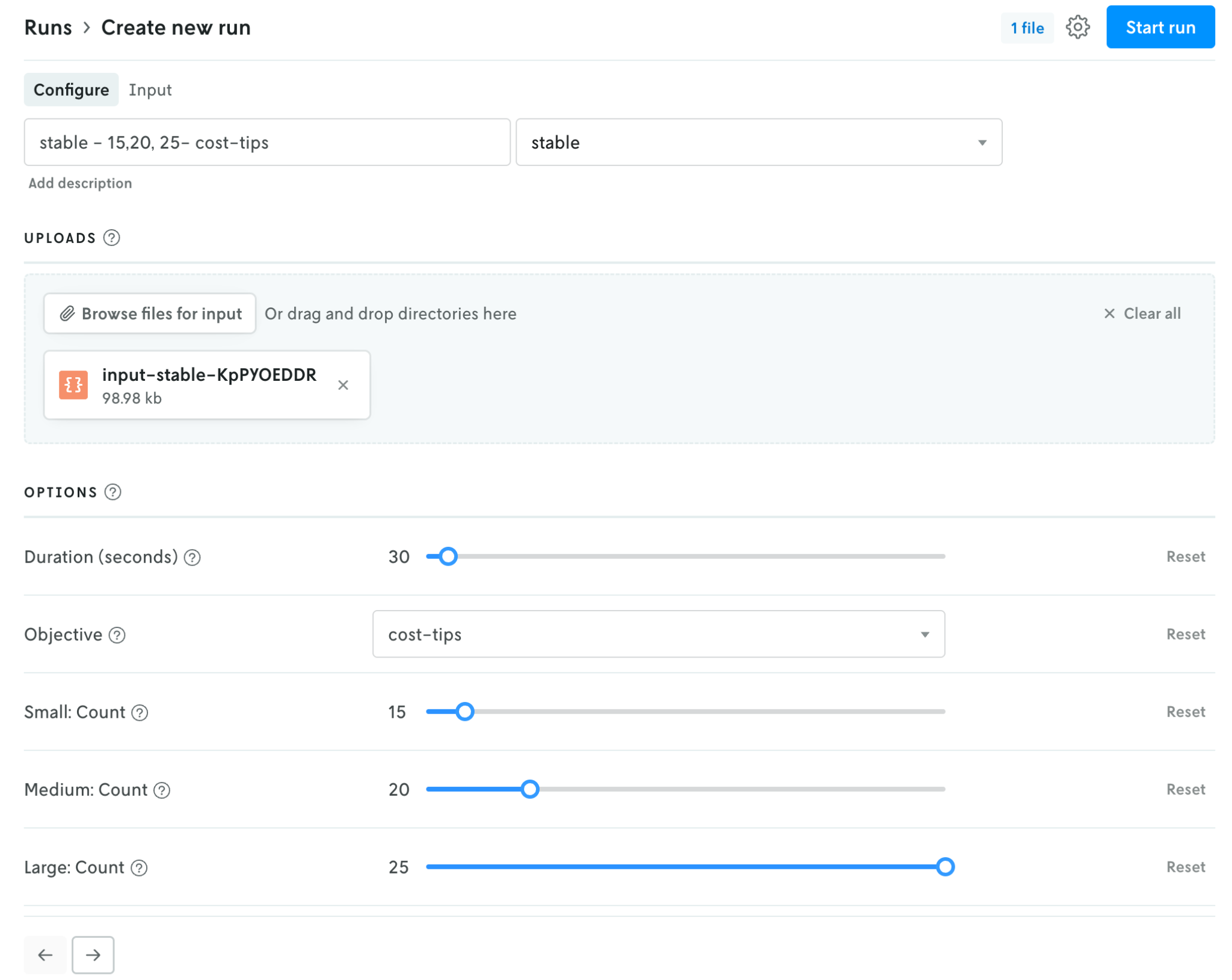
In the console, you can also see the summary of runs made with details about each run.
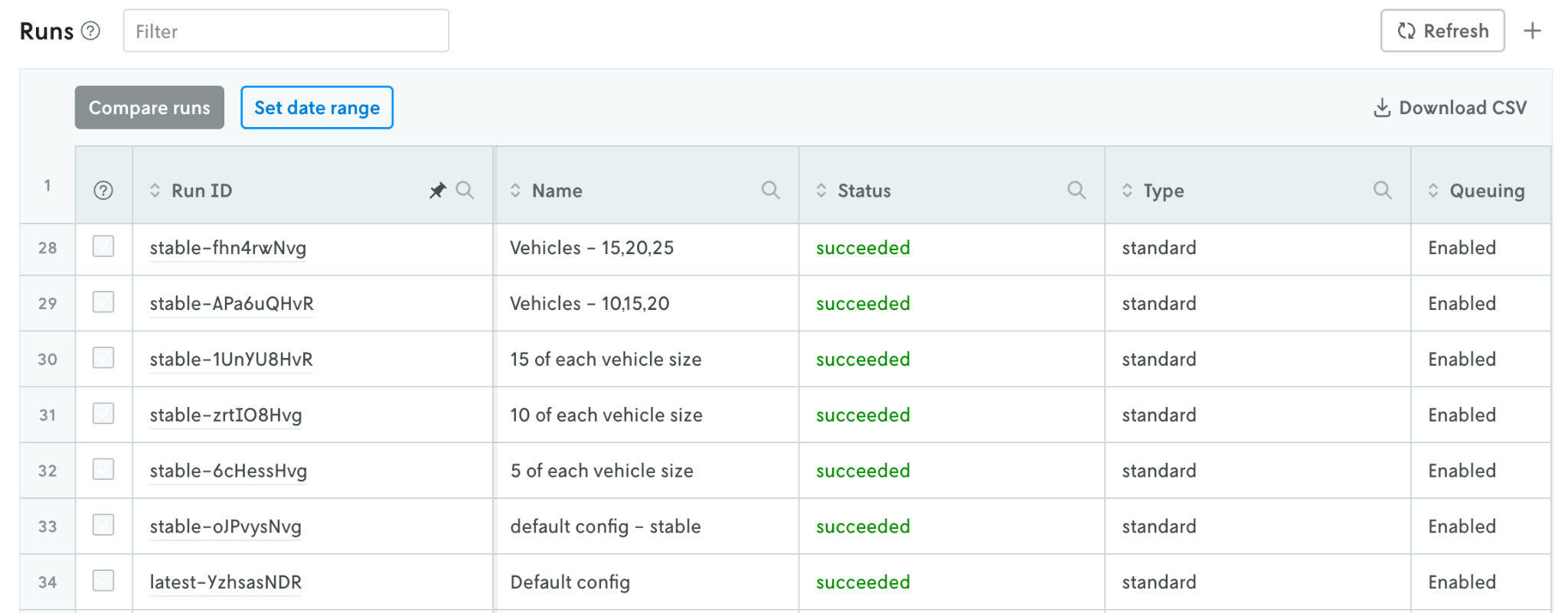
The run summary view offers an overview of metrics, access to input and output, metadata, logs, and custom visual assets.
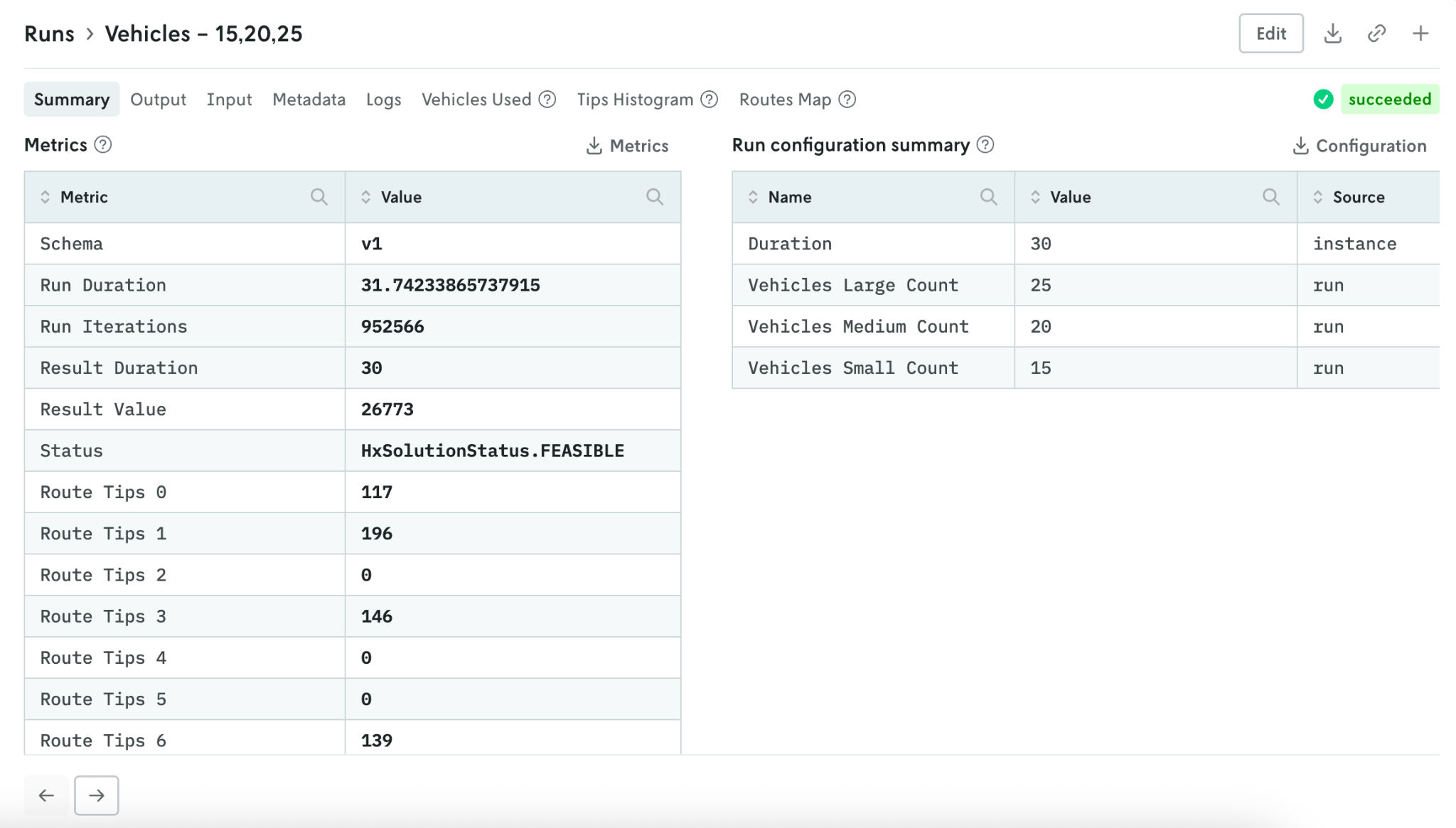
Here we see routes on an interactive map that allows us to zoom in and see information like stop details.
Now that we’ve gotten a tour of the platform, let’s explore a conversation between a decision scientist and their teammate on the operations side, who has a few questions about planning for tomorrow as well as the upcoming months. (You can also watch it unfold in this video.)
Compare model runs to analyze metrics and assets
Context: Planning fleet composition for the next day to ensure there are no unserviced stops
Operator: “We have our orders confirmed for tomorrow. Given the number of orders (around 550) that have come in, I’m wondering if we have enough vehicles to cover all of the deliveries. We have 10 small, 15 medium, and 20 large vehicles. I’m wondering if we should increase our fleet size by 5 of each vehicle type. Would that cover all of our orders for tomorrow?”
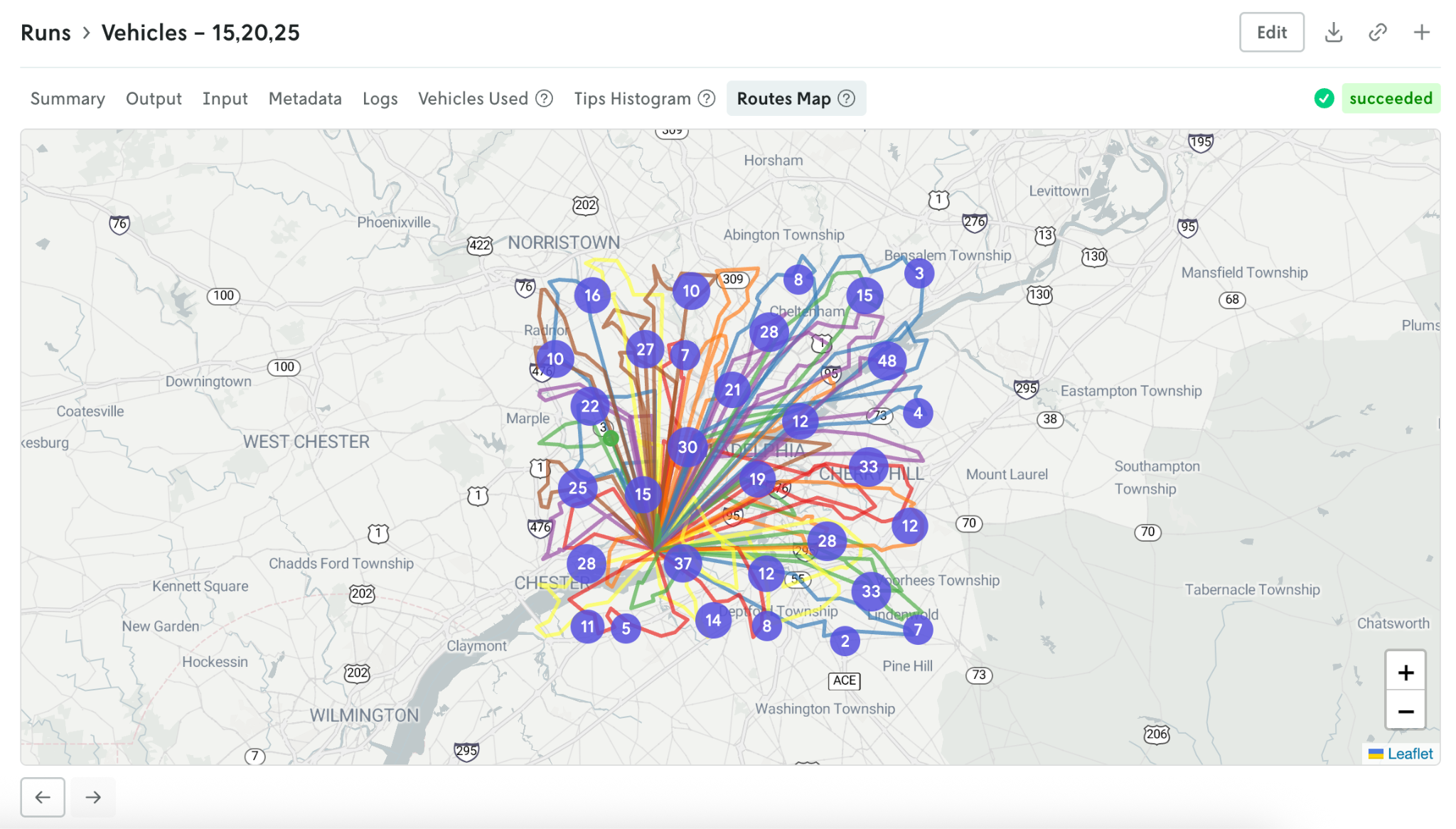
Decision Scientist: “Let me check for you right now. I’ll pull up the model run with the current fleet composition using the order input for tomorrow. I’ll clone the run, update the vehicle options to use 15 small, 20 medium, and 25 large vehicles, and then make another run.”
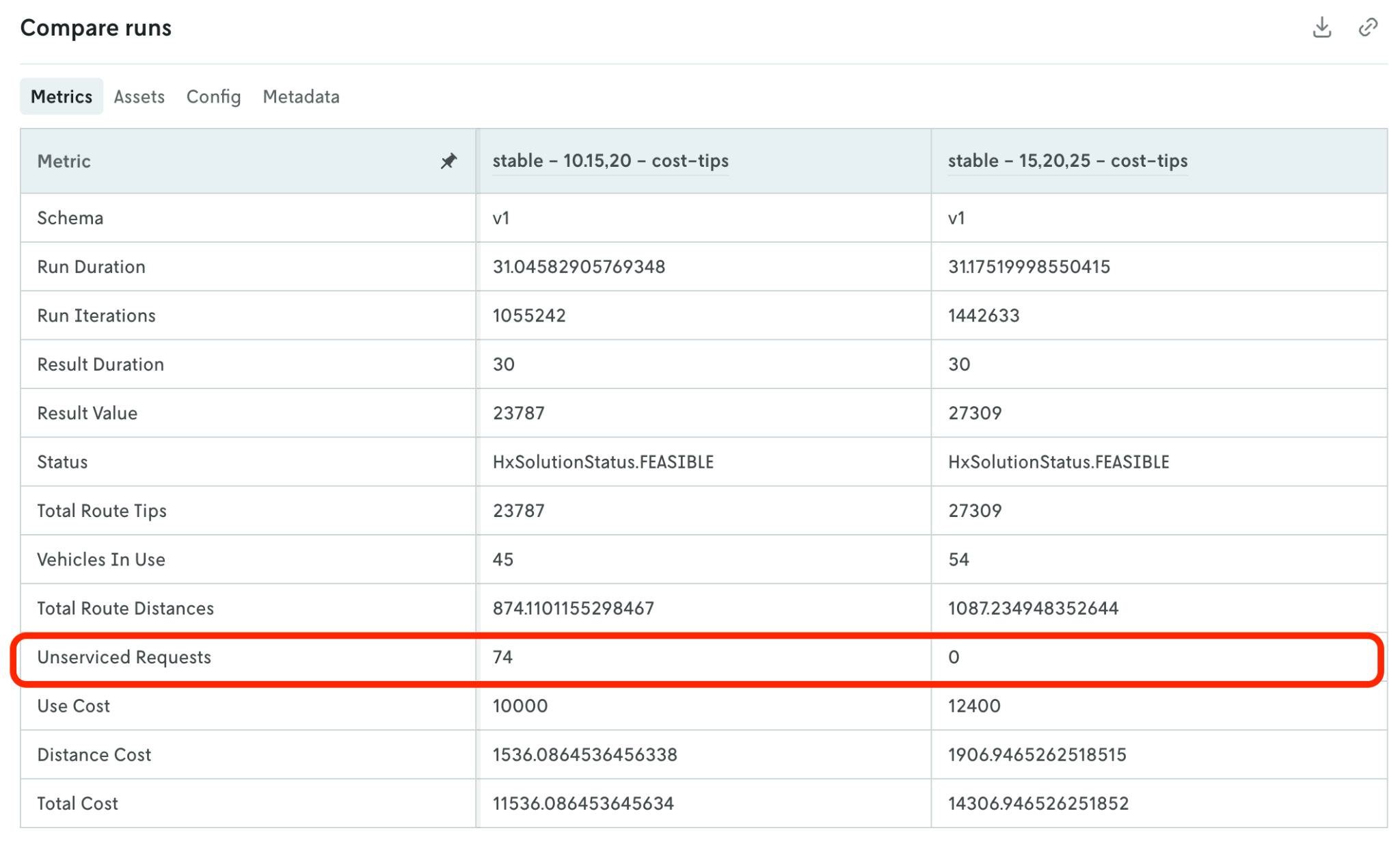
“Now we’ll compare the runs against each other. We can see that our current fleet composition has quite a few unserviced stops, but we have zero unserviced stops when we increase our fleet size.”
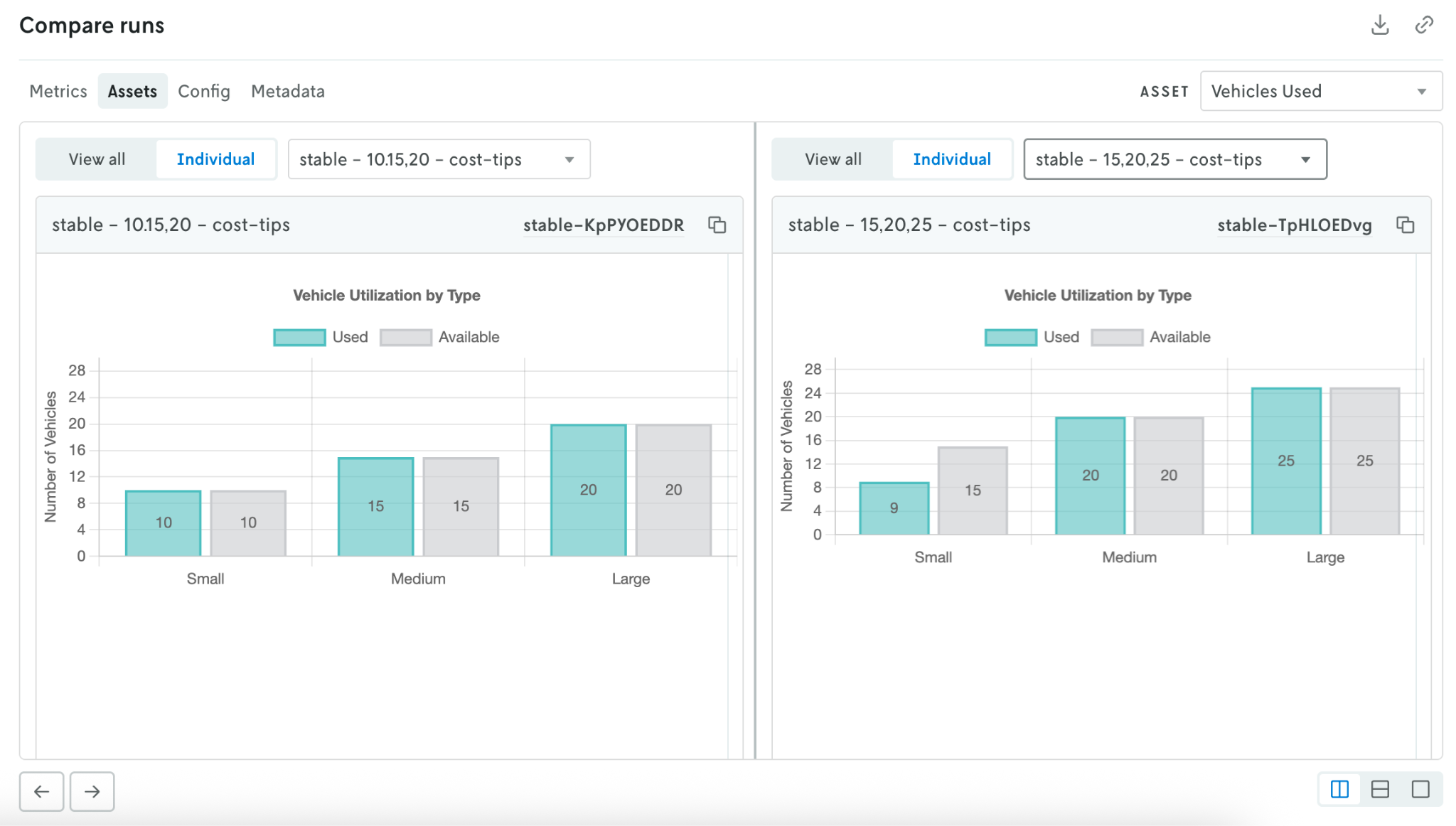
“And when we compare the 'Vehicle Utilization by Type' asset, we can see that with the increased fleet size on the right-hand side, we won’t use all of the small vehicles that are available, so we’ll only need 9 small vehicles instead of 15.”
Perform scenario tests to answer “what-if” questions
Context: Planning for a predicted spike in order volume based on historical data
Operator: “We have an upcoming holiday week, and we’re expecting a high volume of orders. I know it was a challenge last year. Is the fleet composition we just talked through going to hold up? Or will we need to increase our fleet on specific days?”
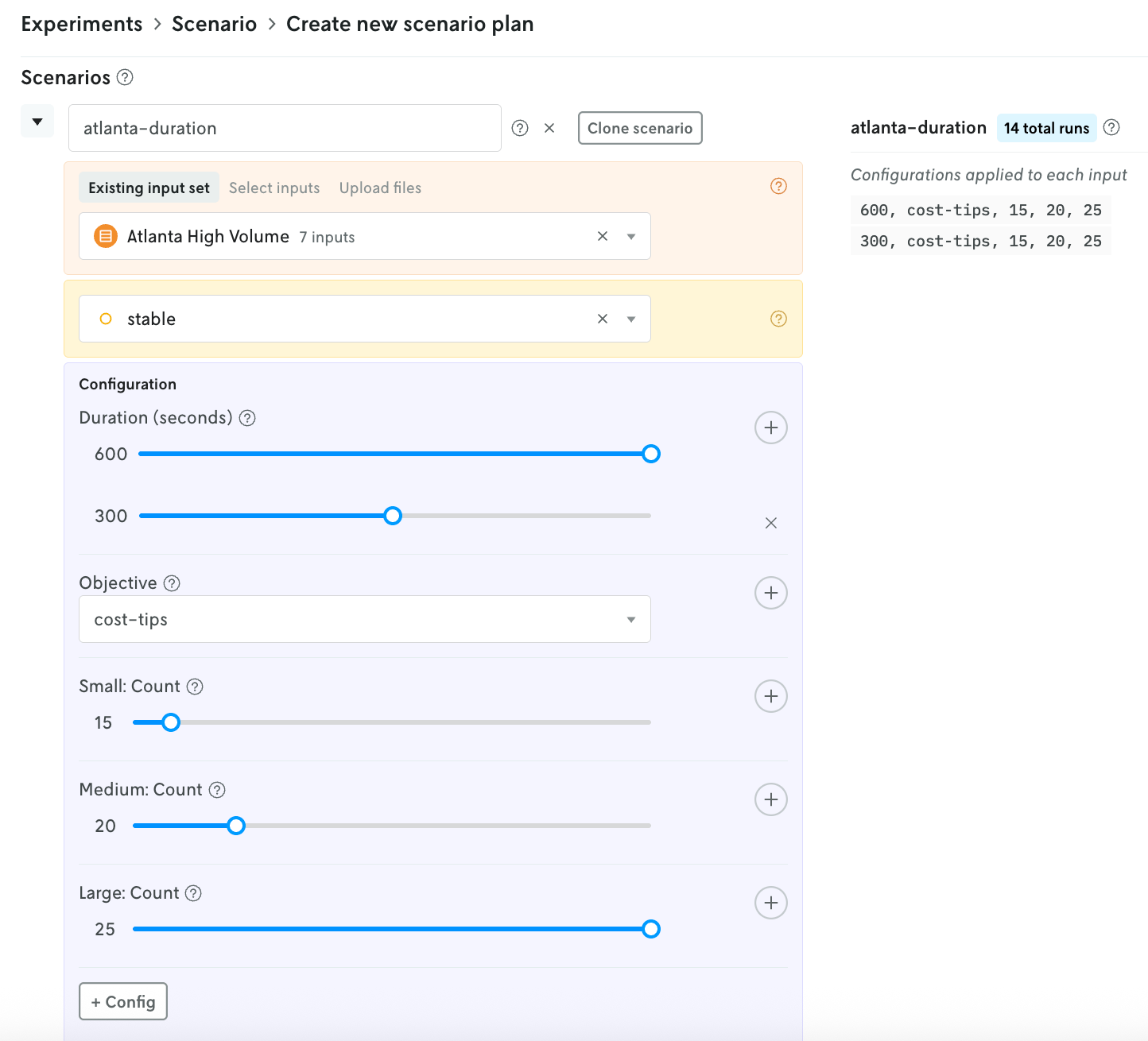
Decision Scientist: “Let’s run this as a scenario test using the historical data from last year. I’ll pull up last year’s orders for that week to use as our input and then represent the updated fleet composition using the configurable options.”
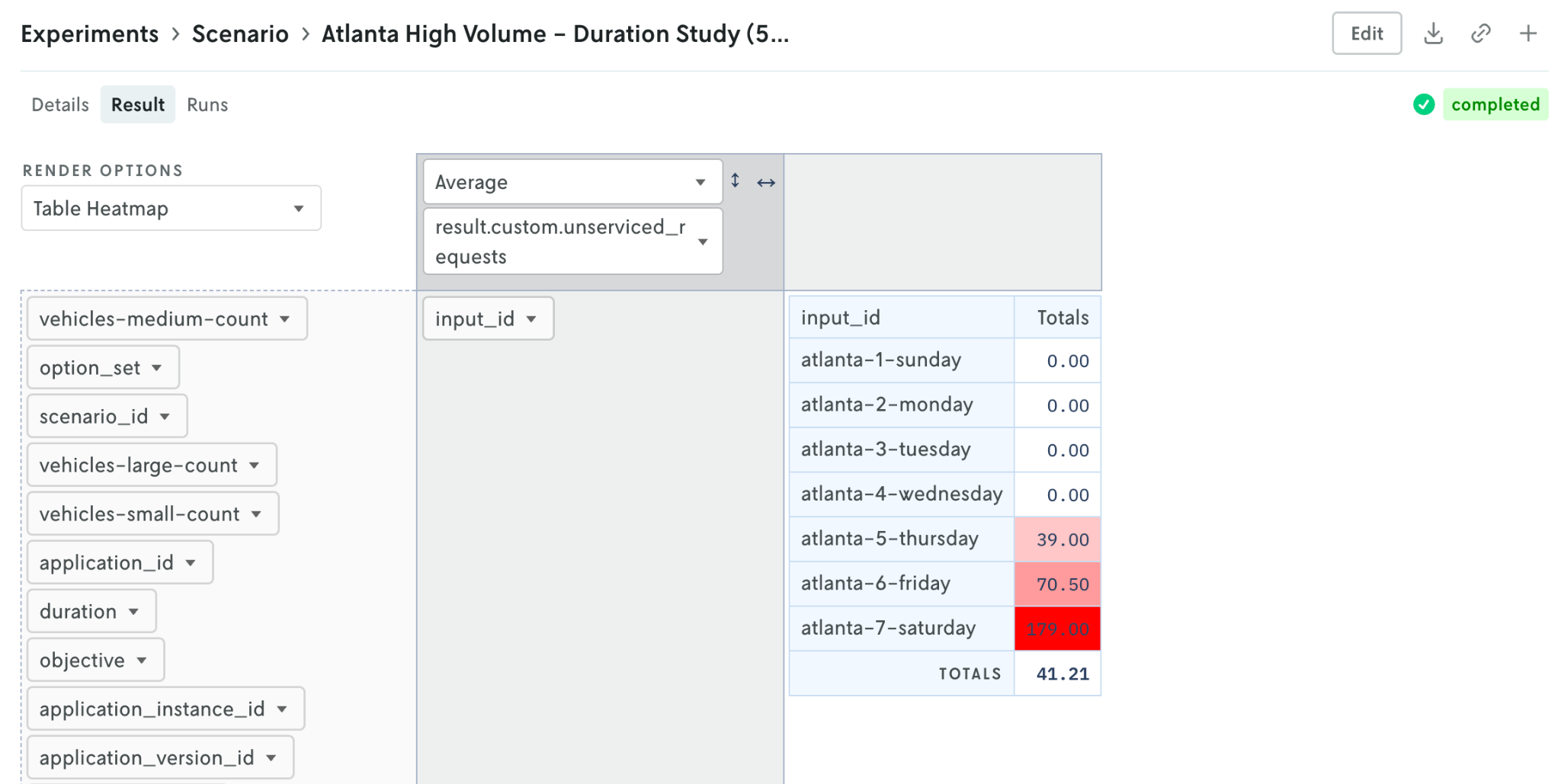
“Let’s look at a breakdown of unserviced stops by day if we keep our current fleet size. If orders are similar to last year’s, we’ll likely need more vehicles on Thursday, Friday, and Saturday to handle the volume.”
Find the “best” solution with ensemble runs
Context: Finding the best run configuration or objective that returns the lowest overall cost
Operator: “We’ve heard from stakeholders that they want to explore scenarios that reduce total cost. I realize that might mean switching the model objective. What can we configure within the model to find the best plan to reduce cost using our current fleet composition?”
Decision Scientist: “I can set that up right now. Let’s create an ensemble definition with our available objective combinations as run groups and a rule to minimize total cost. Then we’ll make a run with the ensemble definition and then show the best run.”
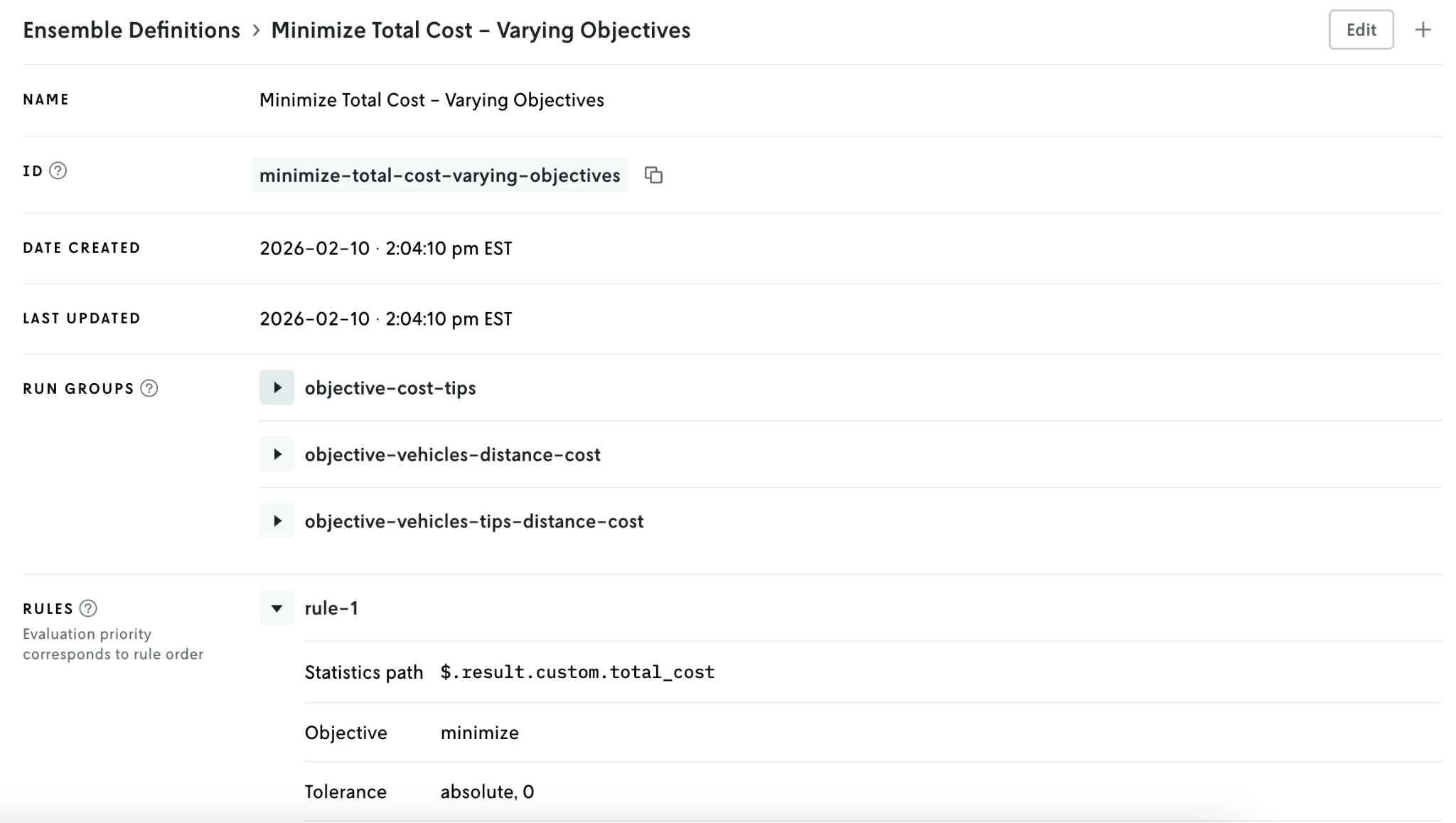
“The results show us the best run.”
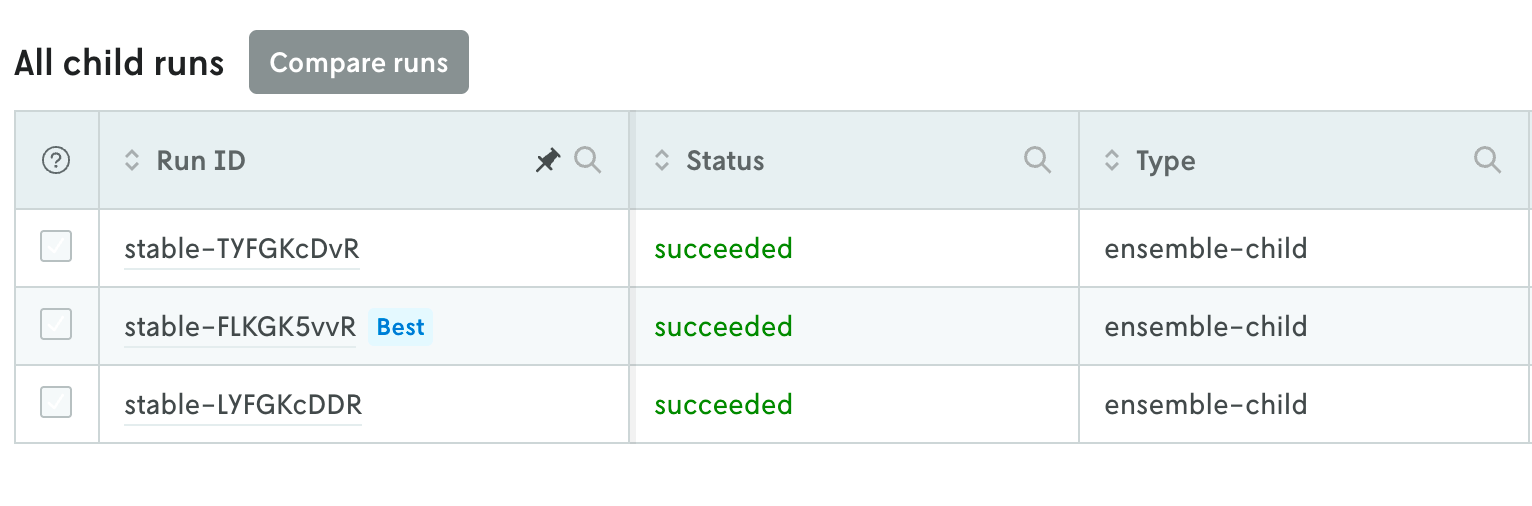
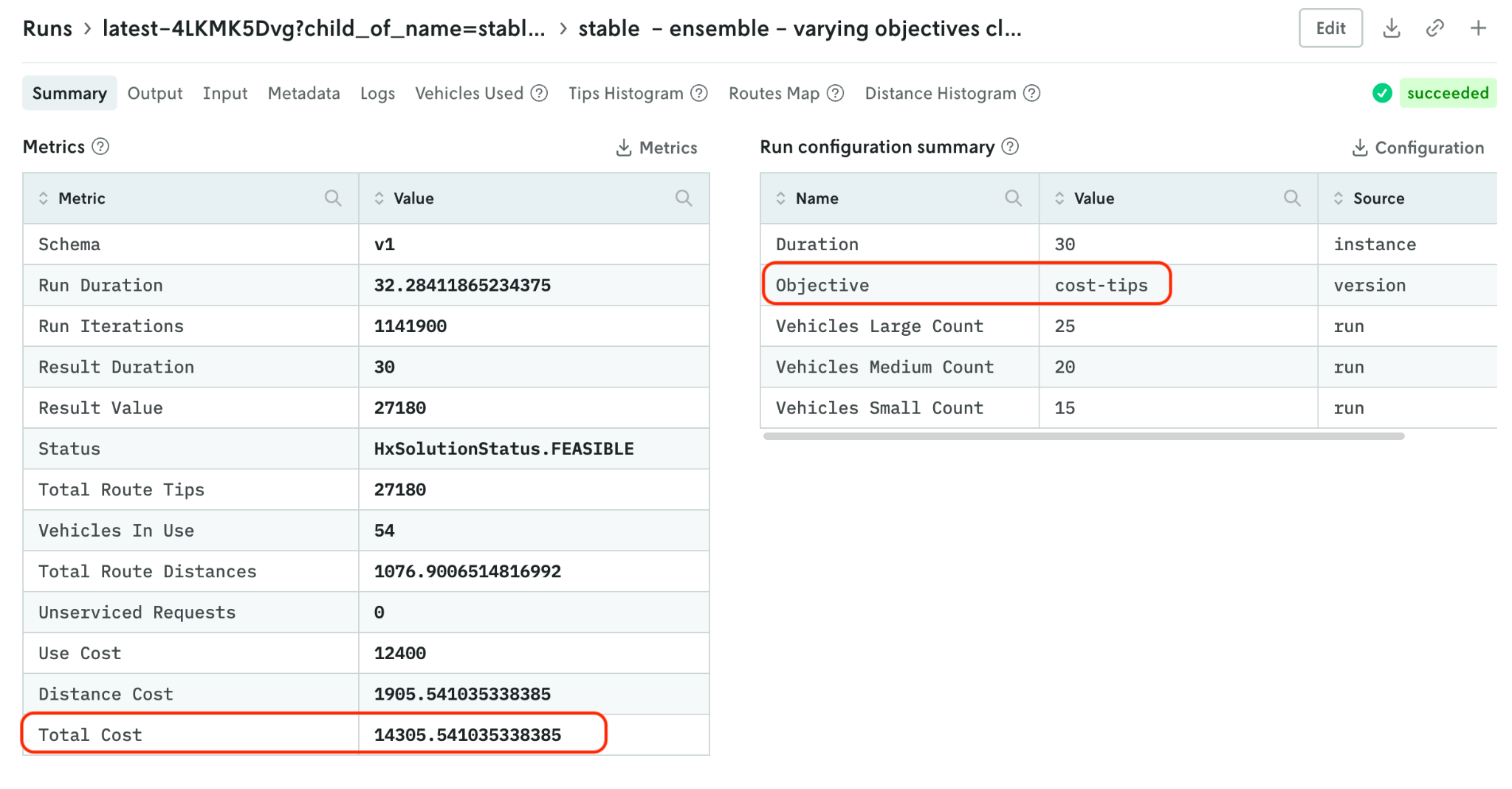
“When we click into that run, we can see the 'cost-tips' objective reduces total cost overall.”
Test model updates in shadow mode
Context: Pushing a new model version in a few lines of code to test an updated version against the current model in shadow mode
Operator: “I’ve heard in recent meetings that we may be able to purchase vehicles with different capacities. I’m wondering if that would be beneficial to us as a business. Can we take a look at what that would look like? Is that a lot of work to do to update the model?”
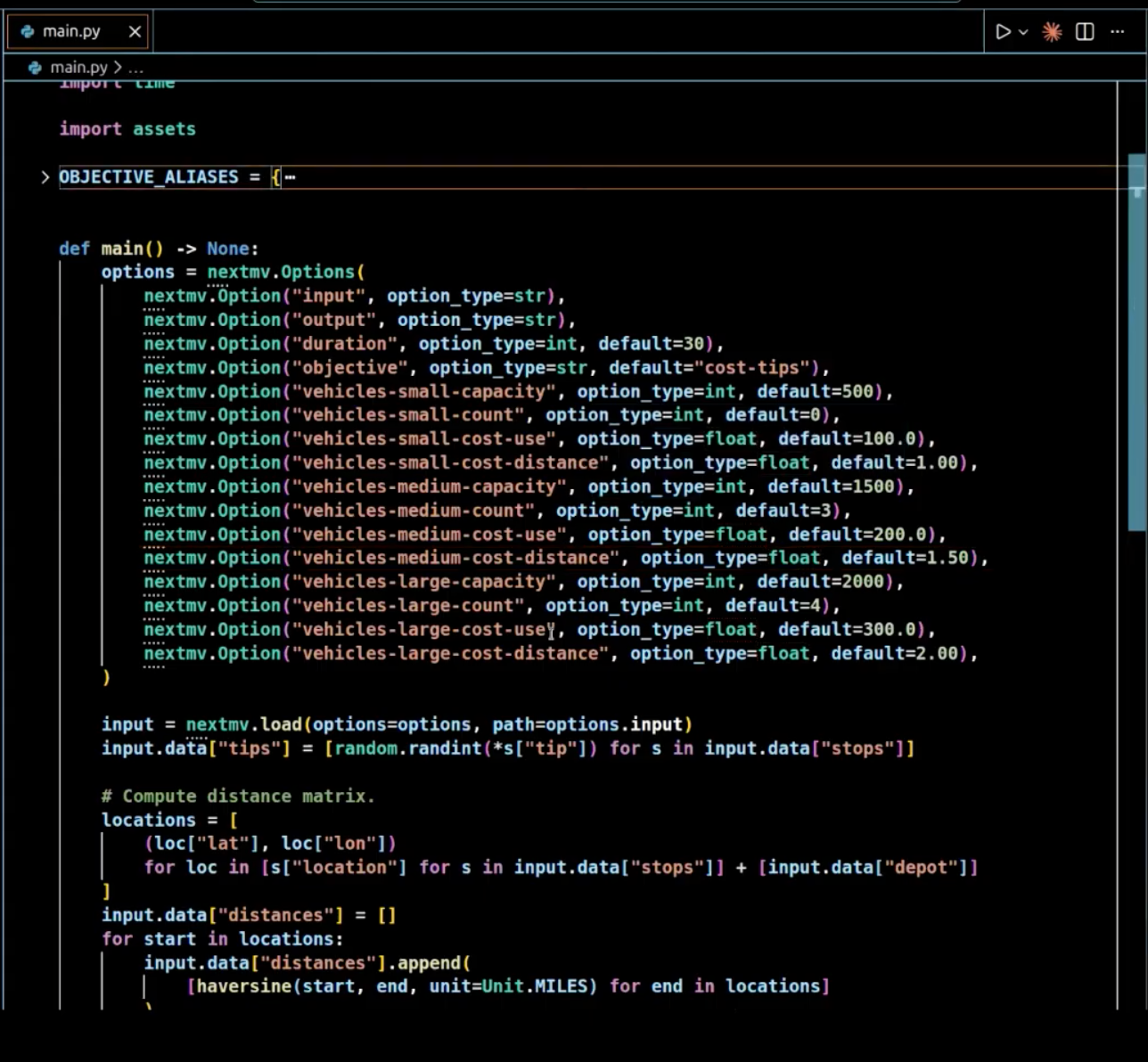
Decision Scientist: “Not at all! Let me show you. Here’s the model code. I can easily change any of the defaults here and push up a new version to Nextmv.”
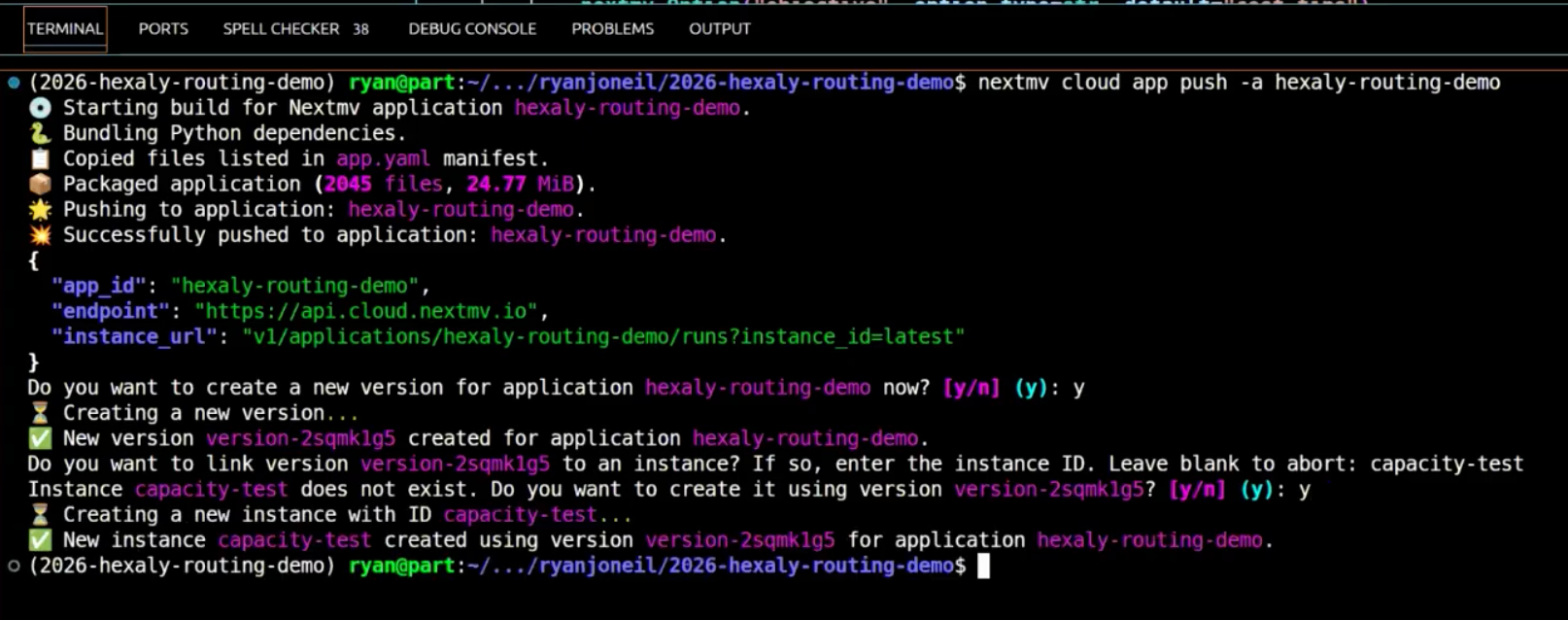
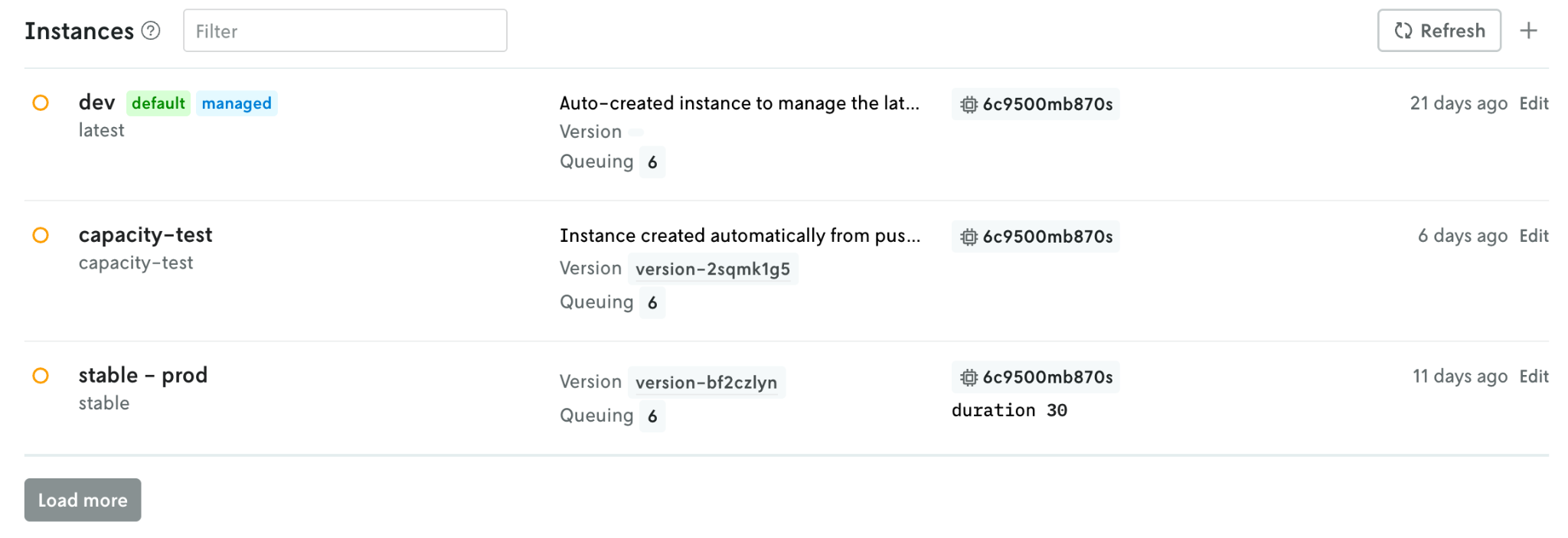
“Now I can see the new version 'capacity-test' in Nextmv.”
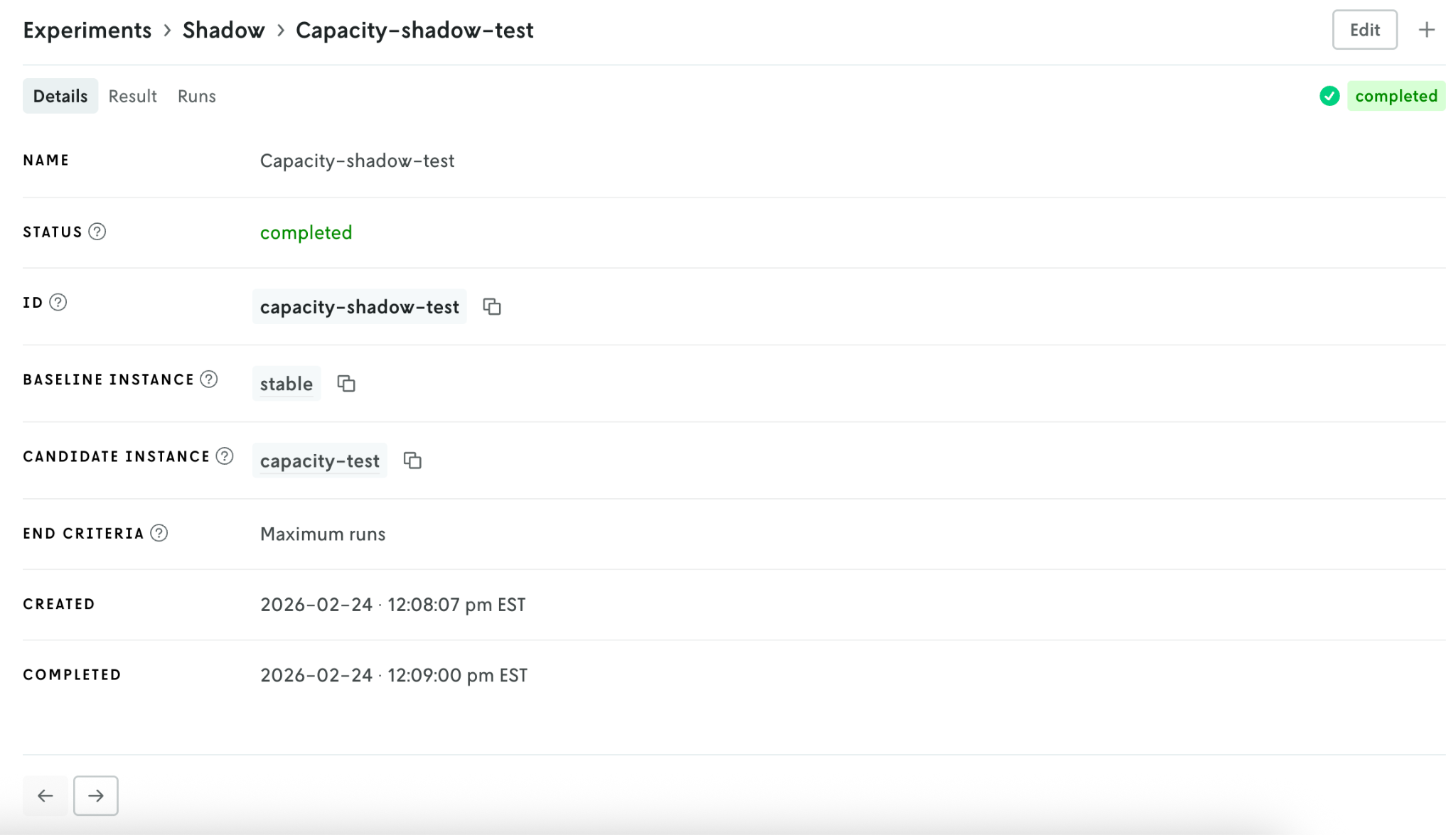
“I’ll quickly set up a shadow test that will run alongside our production model. This will give us insight into how the new model version compares to the current model using production data.”
Where to go next
Nextmv makes cross-functional collaboration on decision models easier. Answer questions faster and more transparently with side-by-side run comparisons, built-in testing functionality, and auto selection of the best plan. Get in touch with us to try this yourself!